Claude Explain.
Understand any source file in minutes.
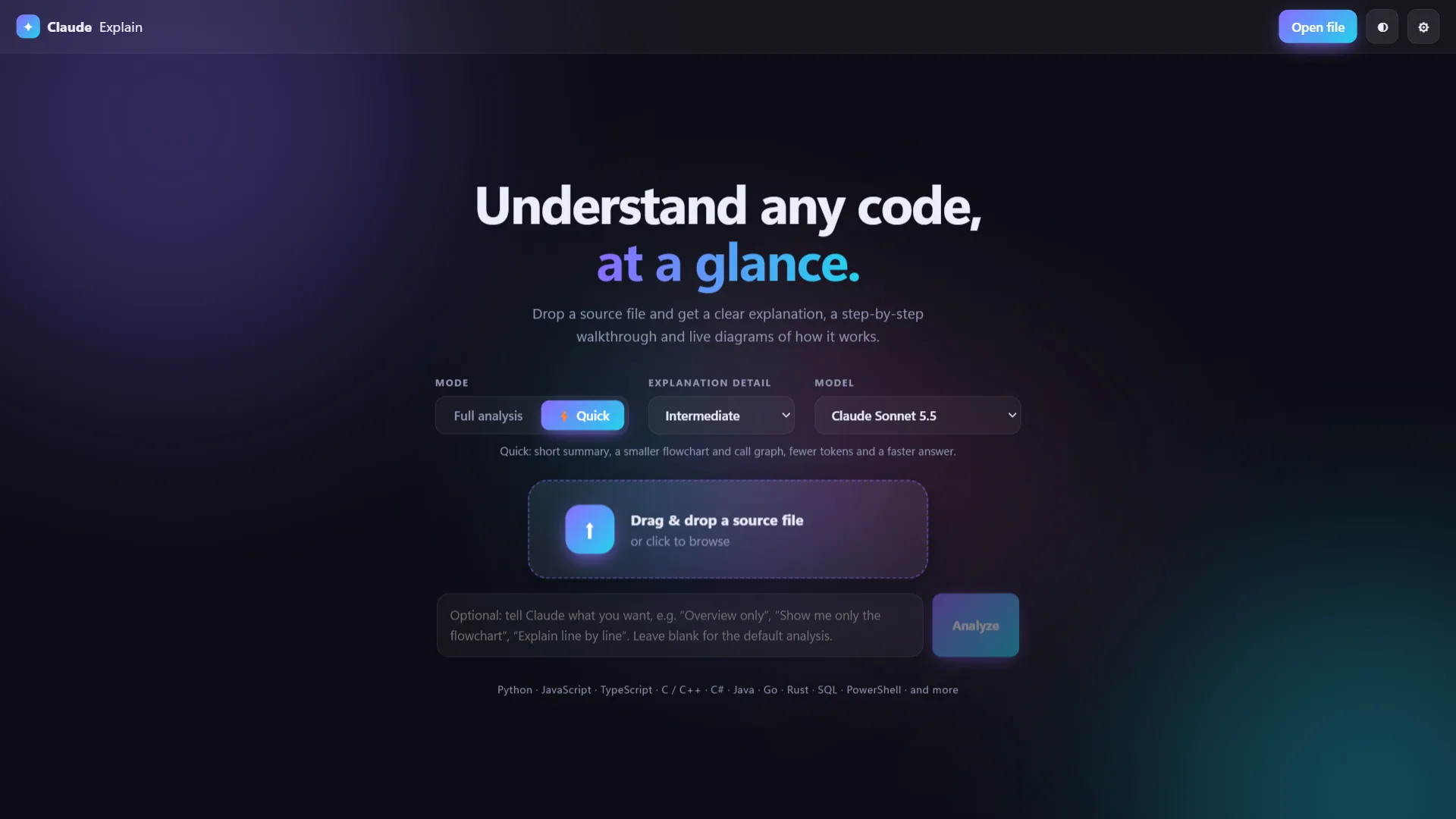
Drop in a source file and get a plain-language overview, a step-by-step walkthrough, a component breakdown and generated diagrams, powered by Claude.
Version 1.0.0 · Windows · Portable version available
FOR DEVELOPERS WHO MEET UNFAMILIAR CODE
From unfamiliar code to clear understanding
Read the explanation, walkthrough, diagrams and components side by side with your source.
Drag-and-drop analysis
Drop a source file onto the window or browse for one. Files over 400 KB and binary files are rejected.
Structured explanation
Results are organised into four tabs: Overview, Walkthrough, Diagrams and Components.
Generated diagrams
Flowcharts, call graphs and sequence diagrams drawn by a built-in SVG engine, with zoom, pan and fit-to-window.
Source cross-referencing
Walkthrough steps, components and diagram nodes link back to line ranges in the source pane.
Adjustable depth
Choose Full or Quick analysis and a Beginner, Intermediate or Expert level of detail. Watch streaming output and cancel at any time.
Your Claude, your way
Connect with your existing Claude Code login or an Anthropic API key. Light and dark themes included.
Watch Claude Explain in under 3 minutes
A quick walkthrough of dropping in a file, reading the explanation and exploring the diagrams.
YouTube Video
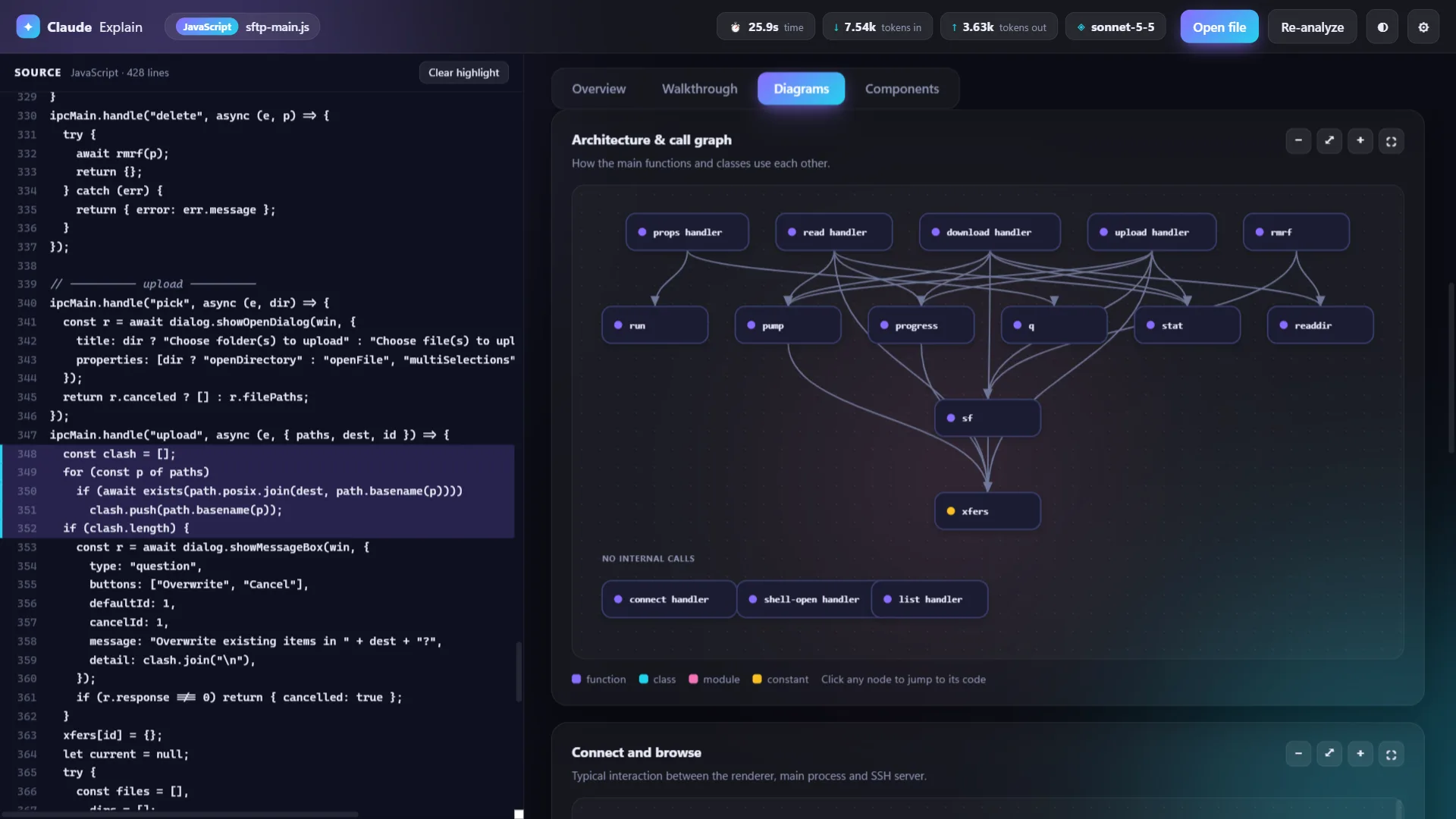
See how the code actually flows
Flowcharts, call graphs and sequence diagrams are generated for you. Zoom, pan and click any node to jump to the matching lines in the source.
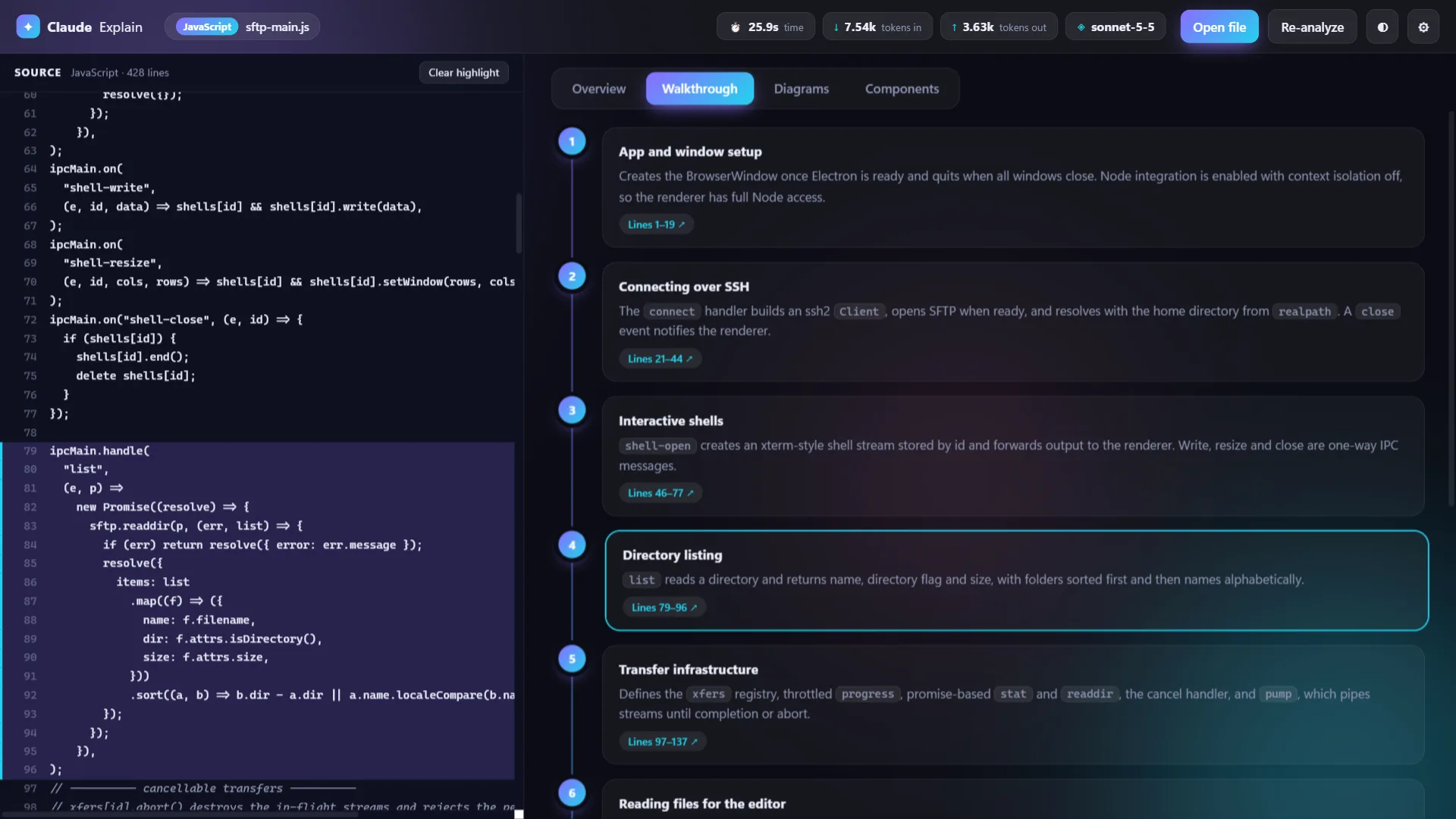
Follow the code step by step
Select a walkthrough step or component and the matching lines light up in the source pane, so you always know what the explanation is talking about.
Know your file before you read it
Instant statistics, a map of where everything lives and the freedom to ask for exactly what you need.
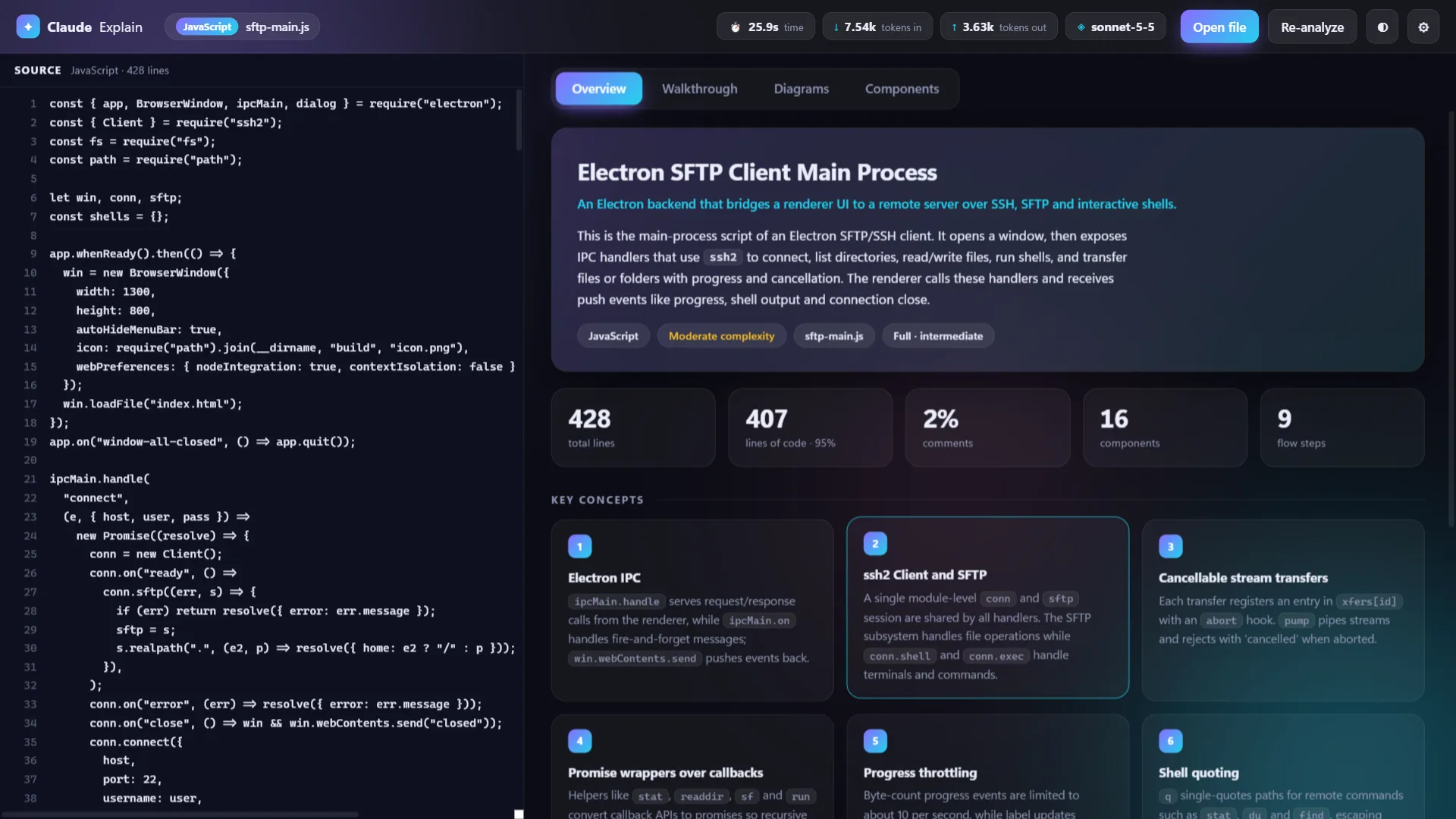
Overview and run statistics
A plain-language summary with line and component counts, plus how long the run took and how many tokens it used.
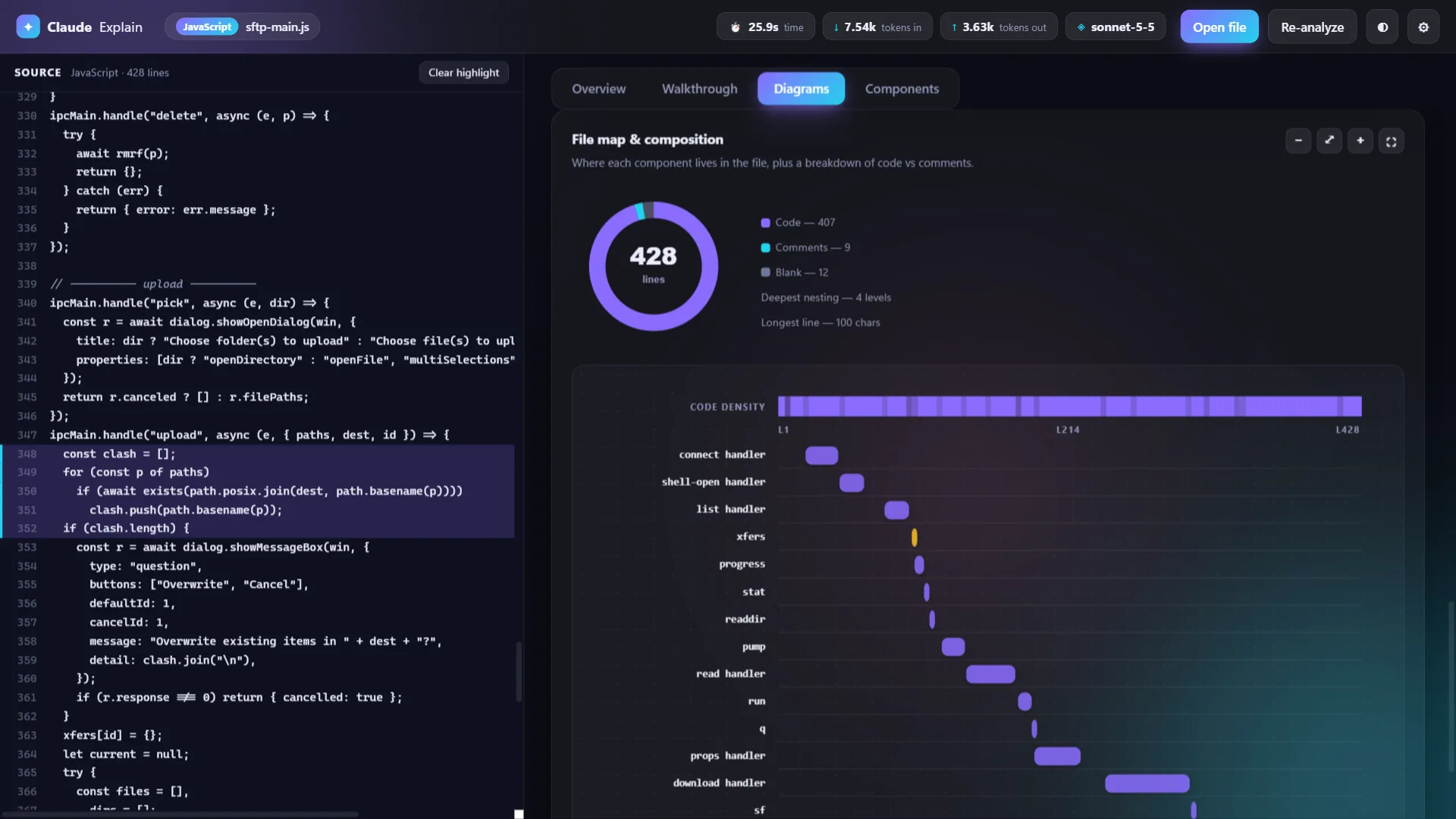
File map and composition
See where each component sits in the file, how dense the code is and how much is code, comments and blank lines.
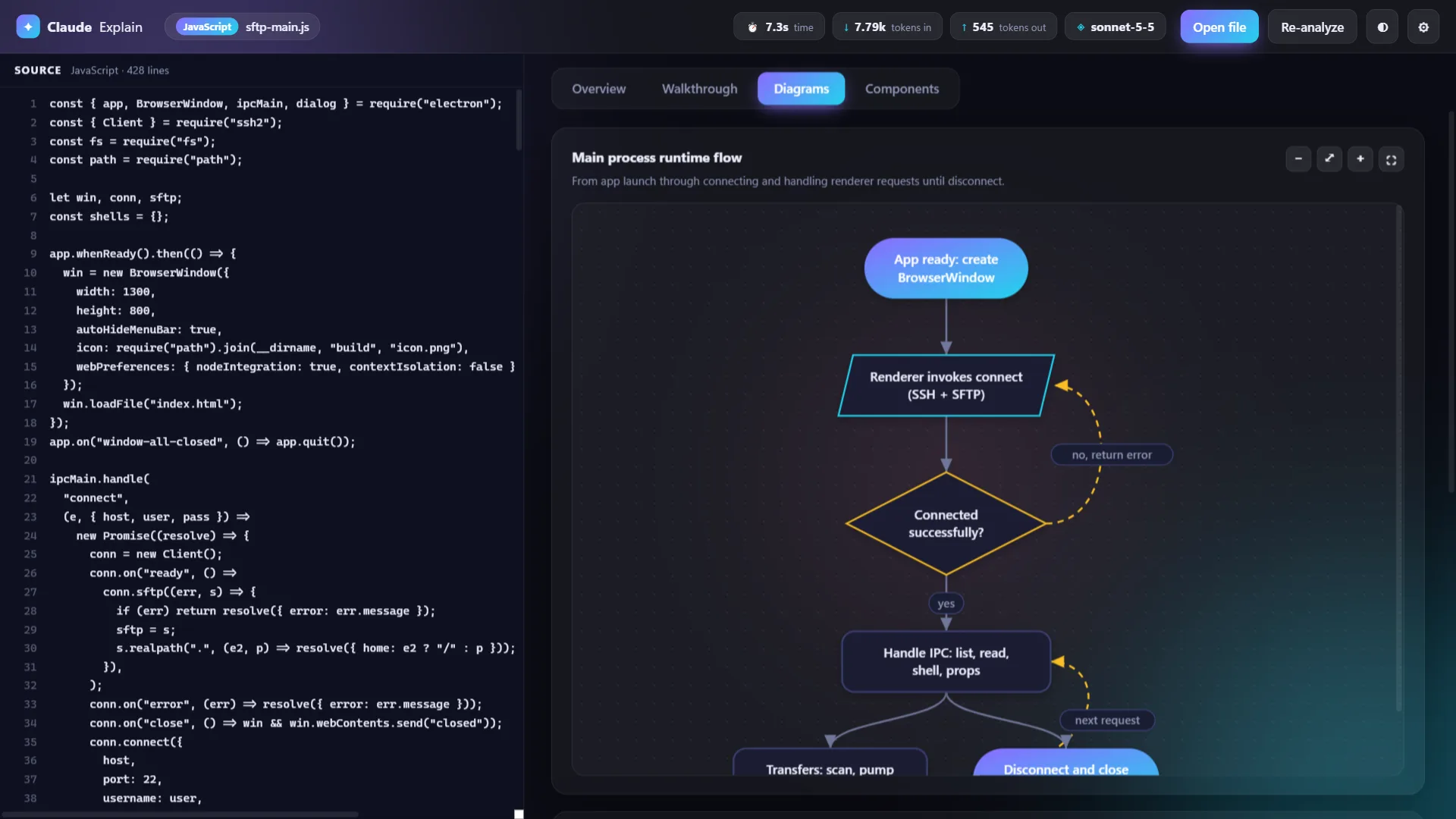
Ask for what you need
Type a request such as "Show me only the flowchart" instead of running the default analysis.
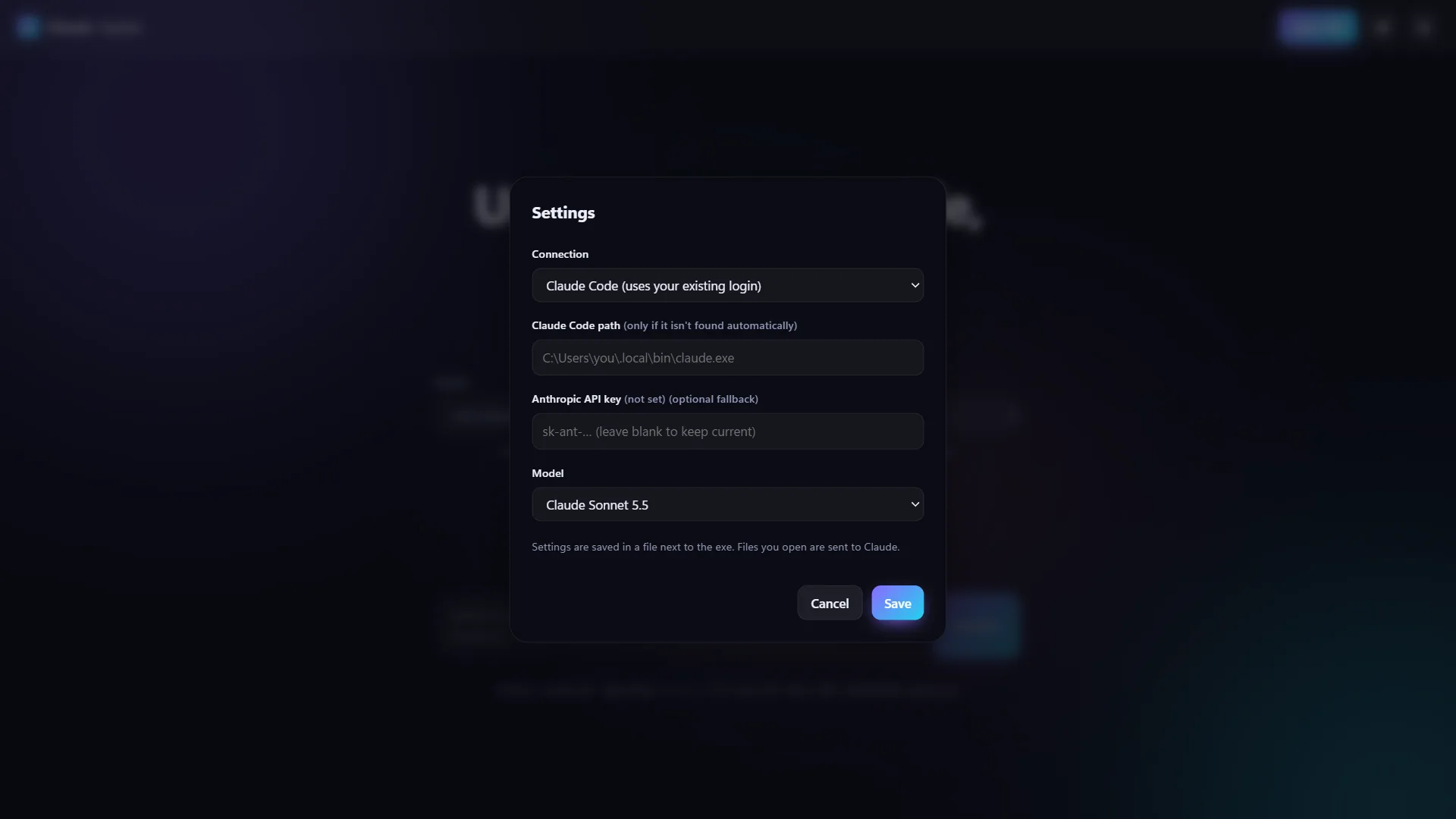
Bring your own connection
Use your existing Claude Code login or an Anthropic API key, and choose the model.
Get Claude Explain for your system
Version 1.0.0. Portable builds run without installing anything. Download, open and analyse.
Windows
Windows 10 or later
Linux
Ubuntu 20.04+, Fedora, Debian · 64-bit
Coming soon
macOS
macOS 11 or later · Apple Silicon & Intel
Coming soon
Looking for older versions or checksums? See all releases on GitHub
Built in the open.
The complete source code is on GitHub. Read it, build it, report bugs or send a pull request.
Common questions
The app is free and open source under the MIT licence, with no ads, no accounts and no telemetry. Analysis uses your own Claude Code login or Anthropic API key, so usage counts against your own Claude plan or API account.
No. The portable build is a single file. Download it and run it, with no installer needed.
Either Claude Code installed and signed in, which is the default, or an Anthropic API key. Choose the connection in Settings.
Yes. The file you open is sent to Claude for analysis, through Claude Code or directly to the Anthropic API depending on your setup. The app has no telemetry. In API mode it also fetches the list of available models and, with Automatic model selection, makes a short request to pick one. Do not analyse files containing secrets or code you are not permitted to share with a third-party service.
If you enter a key, it is saved in plain text in claude-explain-settings.json, next to the portable executable when possible and in the app's user-data folder otherwise. Keep that file private. You can also supply the key through the ANTHROPIC_API_KEY environment variable.
Source files up to 400 KB. Larger files and binary files are rejected. Language detection and code, comment and blank line counts are computed locally, without AI.
The default is claude-sonnet-5-5. You can enter any Claude model ID in Settings, or pick a model for each run on the start screen, including Automatic, which lets Claude choose a model that suits the file.
Absolutely. The full source is on GitHub. For anything beyond a small fix, please open an issue first. Bug reports are welcome, but please do not include sensitive source code in them.