Sequify.
Edit once, export for every platform.
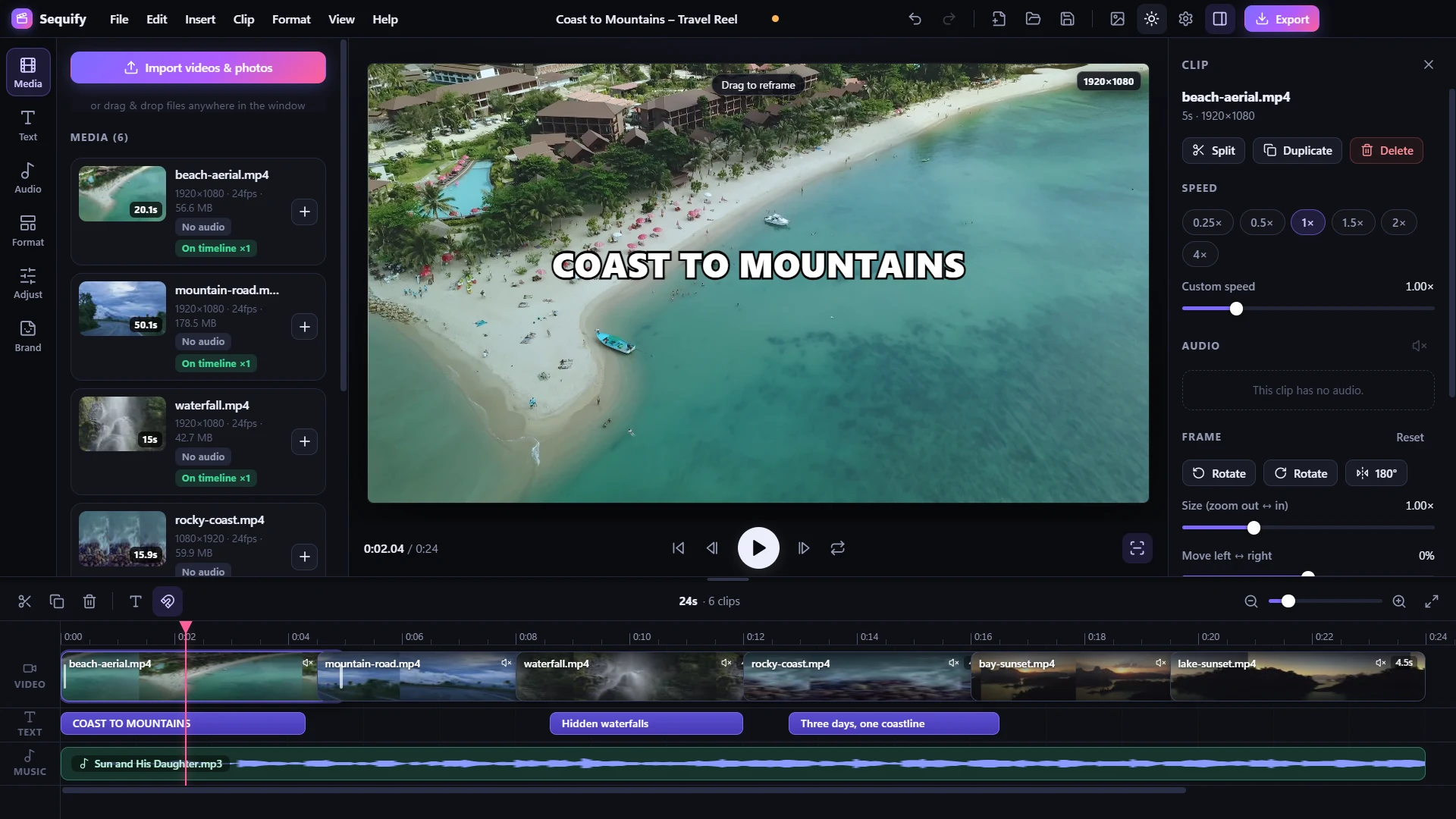
A free video editor for content creators. Cut your video on a simple timeline, pick a platform format with one click and export versions for YouTube, Shorts, TikTok, Reels and more in a single go.
Version 1.0.0 · Windows · Portable version available
BUILT FOR CREATORS WHO POST EVERYWHERE
Everything you need to post everywhere
One editor instead of re-cutting the same video for every app you publish to.
One-click platform formats
18 built-in formats for YouTube, Shorts, TikTok, Instagram, Facebook, X, LinkedIn, Snapchat, Pinterest and WhatsApp, plus any custom size.
Export every version at once
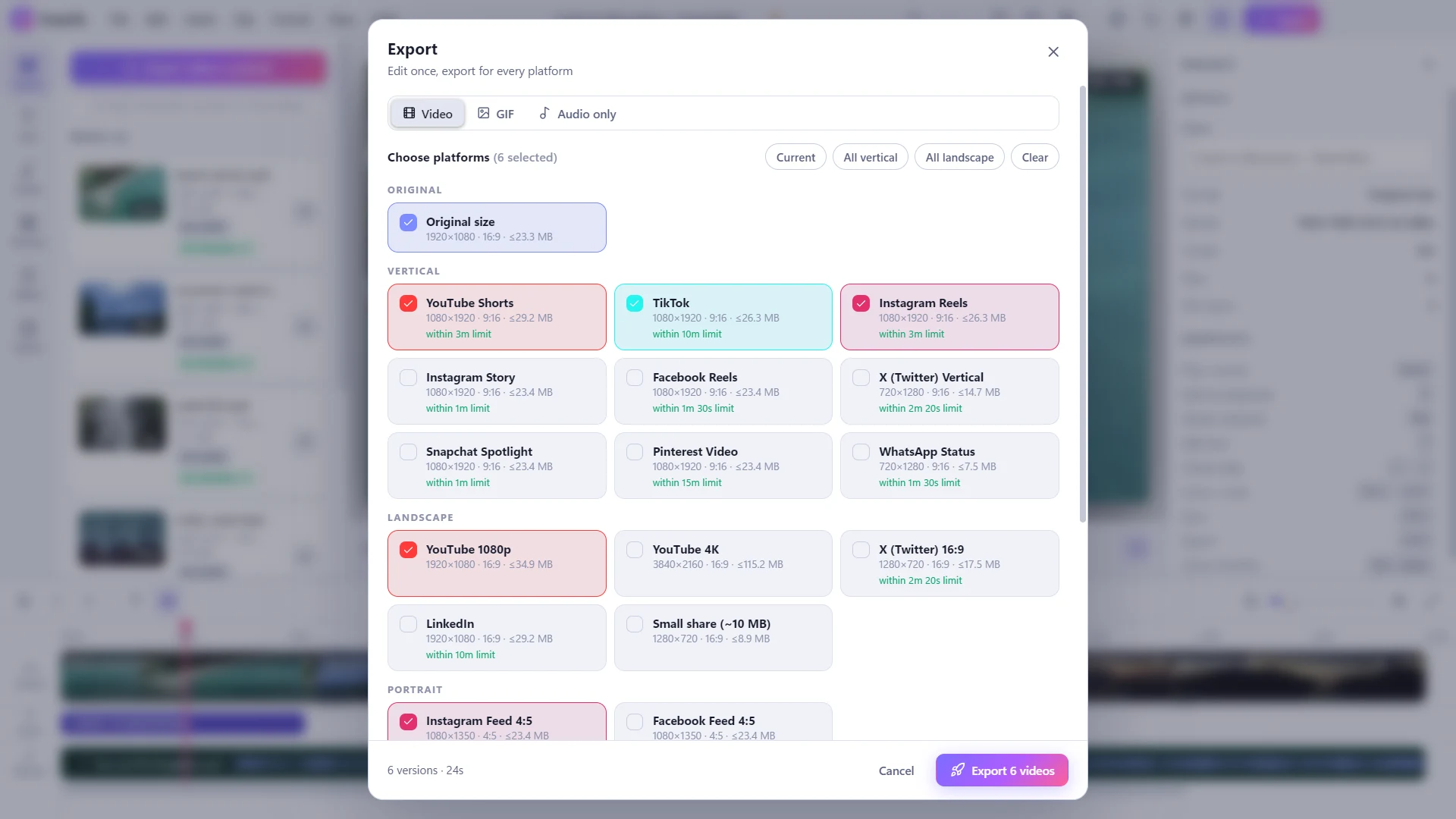
Tick the platforms you post to and render them all in one batch. Videos over a platform's limit can be trimmed or split into parts automatically.
Simple timeline editing
Trim, split, duplicate and reorder clips, change speed from 0.25× to 4×, rotate and reframe, and cut out silent parts with one click.
Text and captions
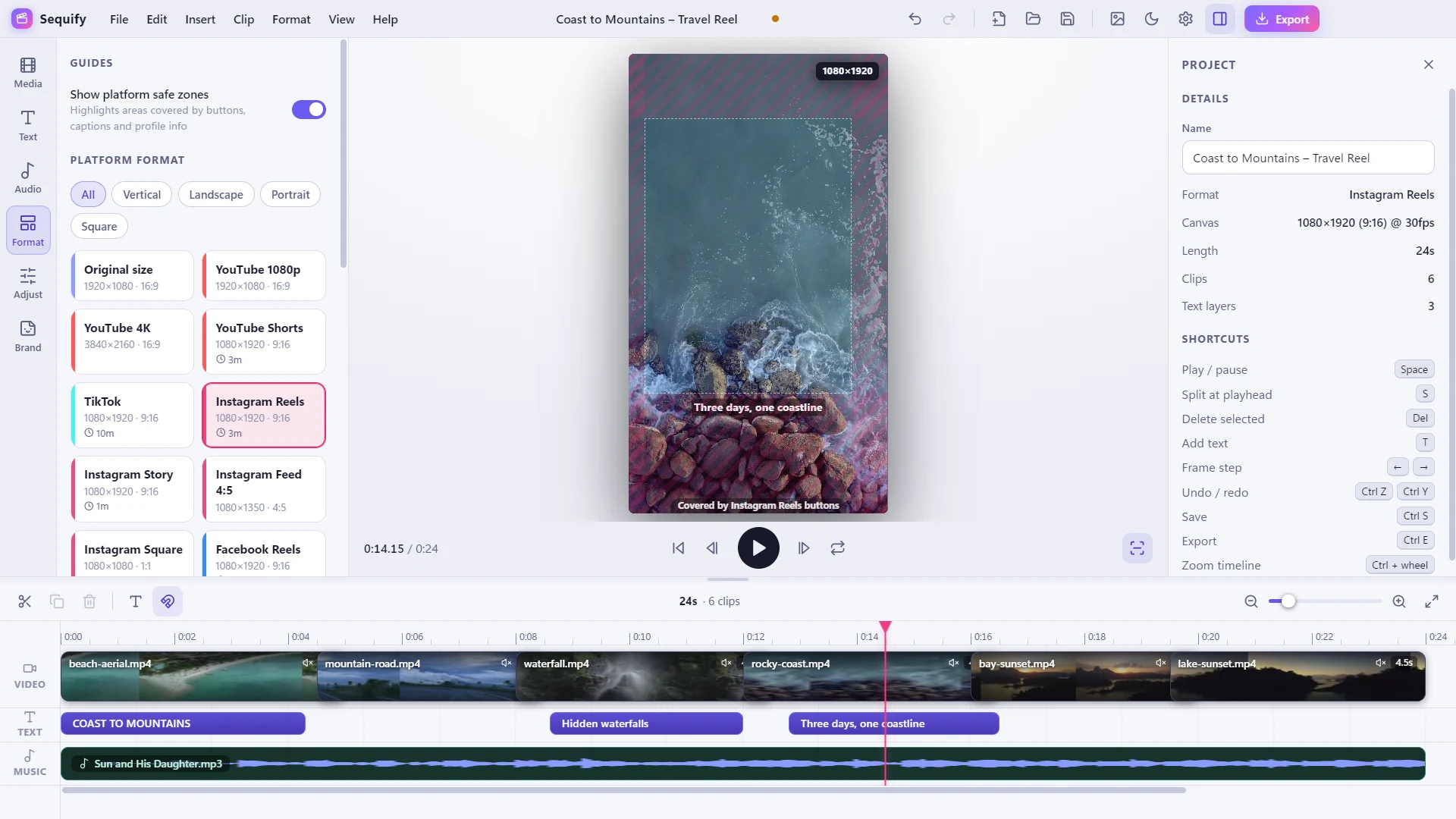
Add styled text with outlines, shadows and animations, or import captions from an .srt or .vtt file. Safe zones show where each platform's buttons cover your video.
Music, looks and branding
Background music that loops to fit and lowers itself under speech, seven colour looks, eight transitions and a logo watermark kept clear of each platform's buttons.
Multilingual
Use the app in 13 languages, including English, Hindi, Spanish, Portuguese, French, German and Russian. Text and captions in your videos can be in any script.
Watch Sequify in under 5 minutes
A quick walkthrough of importing clips, editing on the timeline, choosing a platform format and exporting every version at once.
YouTube Video
The right shape for every platform
Pick a format and the canvas changes to match. Fill the frame with a soft blurred copy, crop to fill and drag to reframe, or fit the whole video with bars. Safe zones highlight the areas each platform covers with its own buttons and captions.
One edit, every version
Choose as many platforms as you like and Sequify renders them one after another, each at the right size, bitrate and loudness. Hardware encoders from NVIDIA, Intel and AMD are used automatically when available. You can also export an animated GIF or the audio on its own.
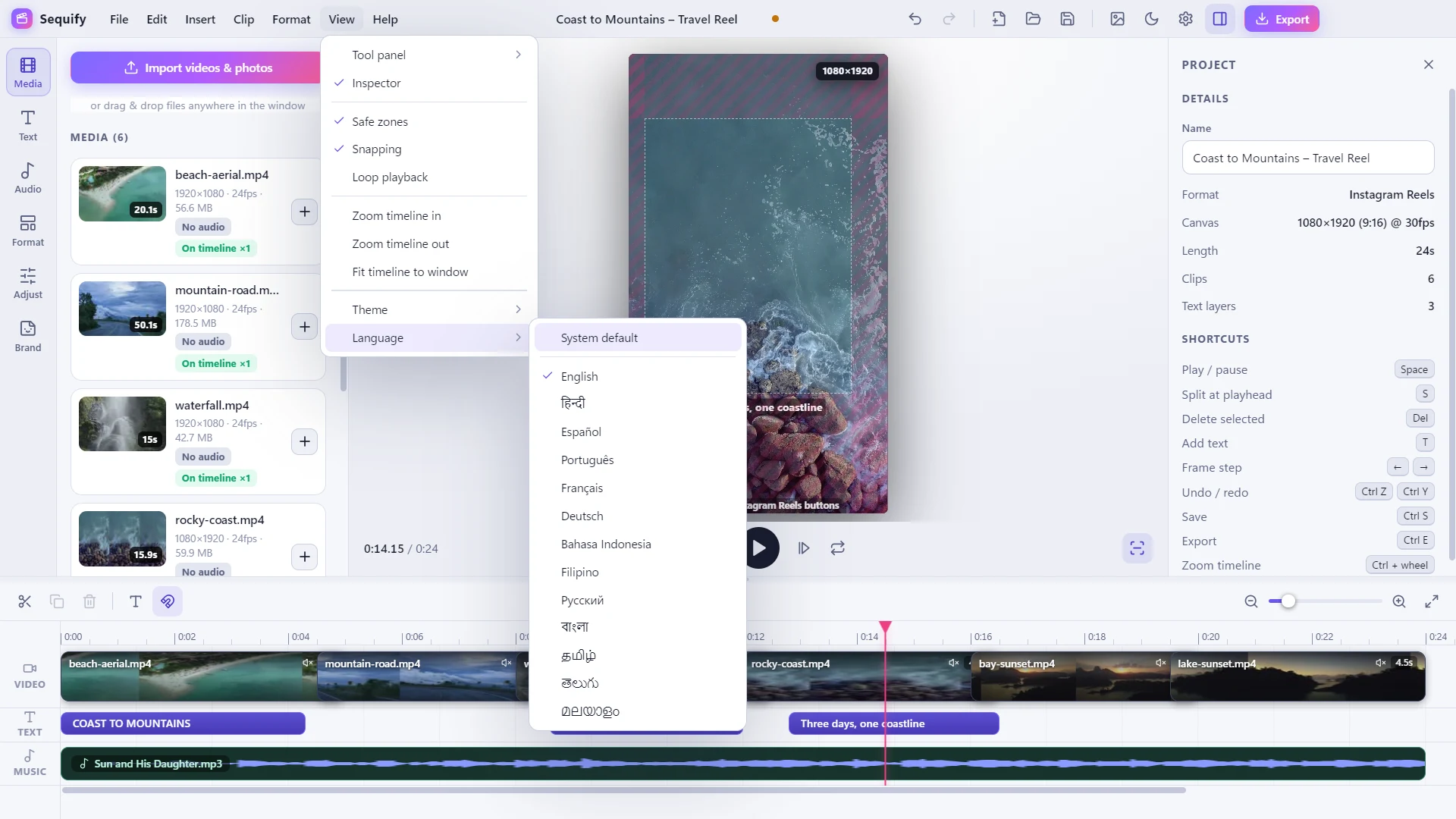
Edit in your own language
Switch the whole app between English, Hindi, Bengali, Tamil, Telugu, Malayalam, Spanish, Portuguese, French, German, Russian, Indonesian and Filipino from Settings, or let it follow your Windows language. Text you add to a video works in any script, including Devanagari, Chinese, Japanese, Korean, Thai, Arabic and Hebrew.
Polish it before you post
Text, colour and a thumbnail without leaving the editor.
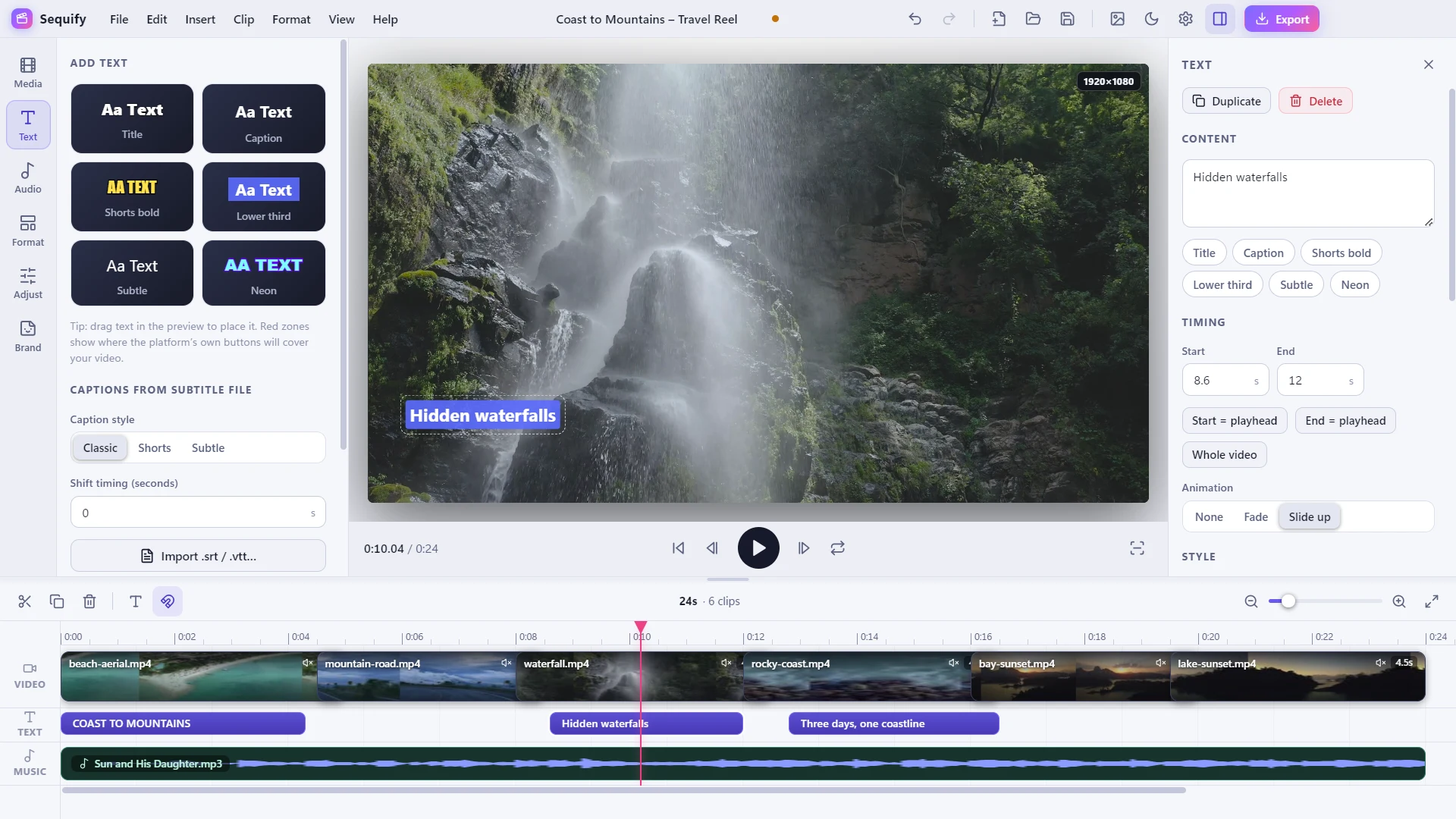
Text and captions
Six one-click text styles, or import captions from an .srt or .vtt file.
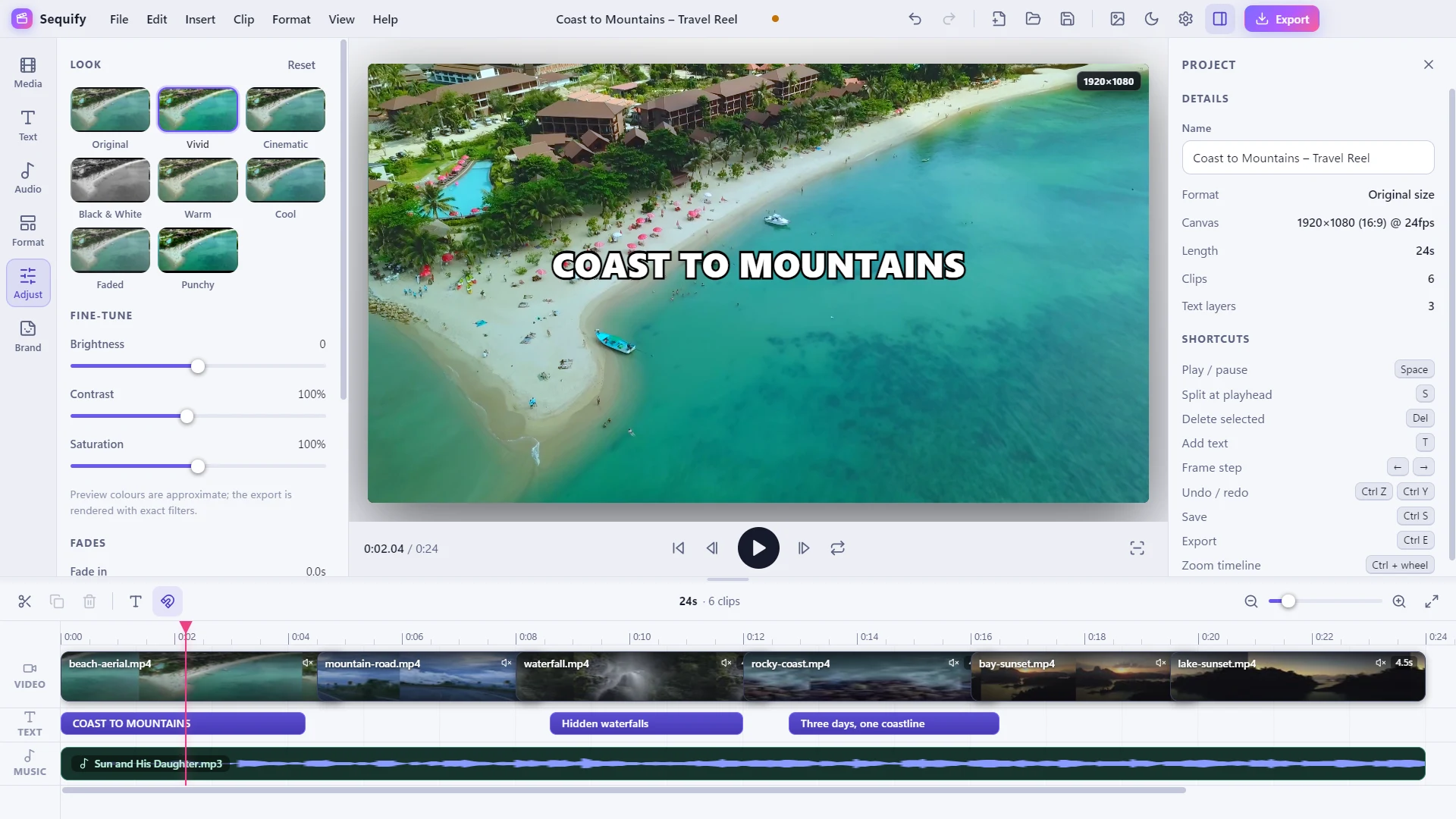
Colour looks
Pick a look such as Vivid or Cinematic, then fine-tune brightness, contrast and saturation.
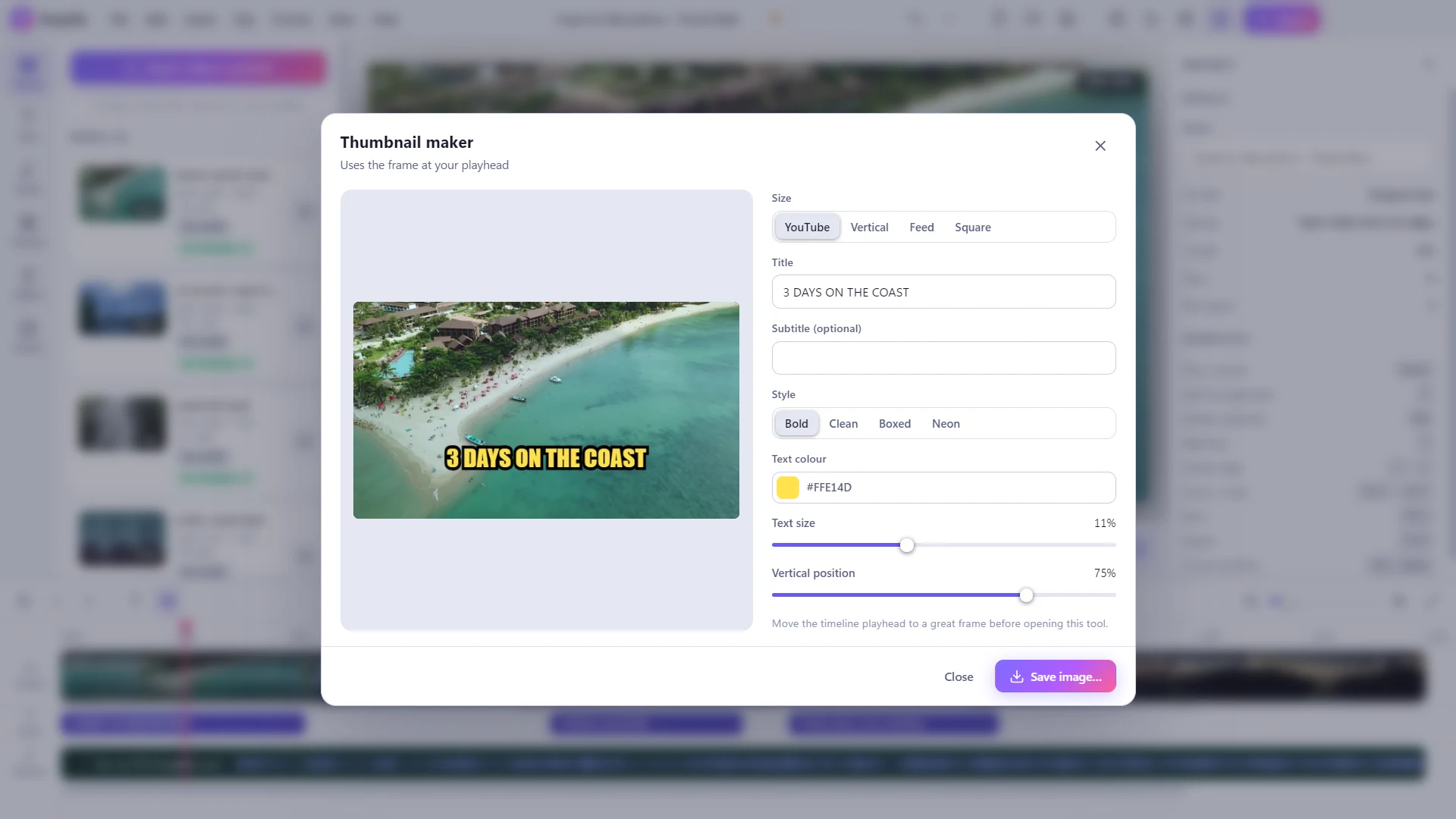
Thumbnail maker
Turn the frame at your playhead into a titled thumbnail for YouTube, vertical, feed or square.
Get Sequify for your system
Version 1.0.0. Use the installer, or the portable build to run without installing anything.
Windows
Windows 10 or later
Linux
Ubuntu 20.04+, Fedora, Debian · 64-bit
Coming soon
macOS
macOS 11 or later · Apple Silicon & Intel
Coming soon
Common questions
Yes. It is free to download and use, with no ads, no accounts, no paid tier and no watermark on your exports.
Yes. Everything runs on your PC, including the export. Your videos never leave your computer and there is no AI or cloud processing.
There are built-in formats for YouTube (1080p, 4K and Shorts), TikTok, Instagram (Reels, Story, Feed and Square), Facebook, X, LinkedIn, Snapchat Spotlight, Pinterest and WhatsApp Status, plus a small-file format for messaging. You can also set a custom size.
Sequify tells you when a video is over the limit. When exporting you can trim it to the limit, split it into parts or keep the full length.
Common video formats such as MP4, MOV, MKV, WebM and AVI, photos such as PNG, JPG and WebP, and music in MP3, WAV, M4A, AAC, OGG or FLAC. Captions can be imported from .srt and .vtt files.
The installer creates desktop and Start Menu shortcuts and lets you choose where to install. The portable build is a single file that runs without installing. Both have the same features.
The app is available in 13 languages: English, Hindi, Bengali, Tamil, Telugu, Malayalam, Spanish, Portuguese, French, German, Russian, Indonesian and Filipino. Choose one in Settings or let it follow your Windows language. Text you type into a video can be in any script.
Not yet. Sequify is currently available for Windows 10 and later.